Animal Ragdoll Tips & Tricks for Ragdoll Animals
Practical chaos habits that level you faster and keep sessions funny.
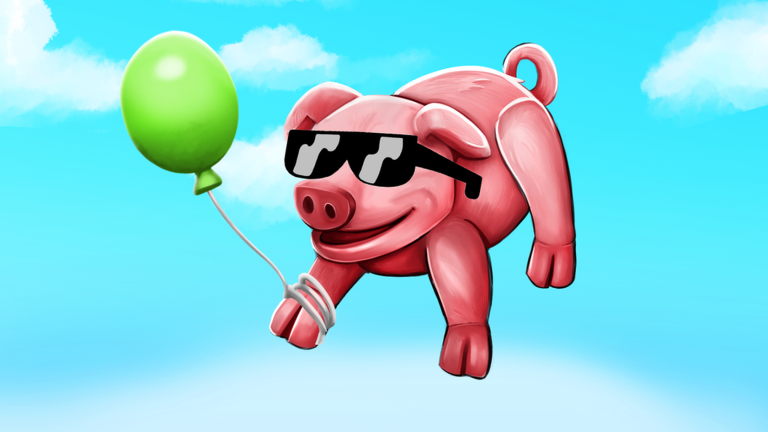
These Tips & Tricks turn Ragdoll Animals from random flailing into intentional comedy. Animal Ragdoll players who stack small habits—quest-first minutes, bounce recovery, crate angles, smart Flash Deal spends—hit the level 40 soft cap sooner and still leave with better clips. Everything here assumes legitimate play on the official Takawakalaka experience (place 121571737300302).
Session openers that always pay off
- Join a fresh server after any patch so tool and bounce fixes sync.
- Open the quest log before freestyle — structured XP beats aimless spinning (quests and crates).
- Glance at Flash Deal and banners in the first thirty seconds (Flash Deal guide).
- Equip a mobility tool even if you plan smash quests; crates punish stuck players.
- Favorite the experience so you never land on copycat places (Official Links).
If movement still feels slippery, reset muscle memory with controls before chasing advanced routes.
Bounce and recovery micro-skills
Character bouncing received dedicated fixes. Treat air time as a skill:
- Tap jump rhythmically instead of holding forever.
- Camera the landing zone while limp; look where you want to recover.
- Swap to a lighter animal when practicing chains (animals roster).
- Use bounce tools as amplifiers, not crutches—S-tier notes live on the tools tier list.
- If you soft-lock under geometry, walk toward open sky or rejoin rather than rage-quit mid-crate.
Crate race instincts
Crate Drops are shared server events. Winning them is mostly positioning:
- Pre-position near high-traffic prop clusters without camping AFK.
- Approach from the side so head-on ragdoll traffic does not yeet you past the claim.
- Dash or fling in the final stretch; explosives after you claim, not before.
- Call the drop for friends in party chat, then rotate claims fairly.
- Inspect rewards before spending—XP boosters beat vanity when you are climbing (how to level up).
Loadout shortcuts
| Situation | Animal | Tool habit |
|---|---|---|
| Smash quest board | Ram / heavy | Explosives first |
| Interact / tomato errands | Goat-like | Grab equipped |
| Contested crates | Flyer / light | Fling or dash |
| Clip farming | Pig or flyer | Bounce + fling |
| Full 20-player lobby | Heavy | Blast for multi-hits |
Rank philosophy expands on animals and tools lists. Day-one players should finish Getting Started before min-maxing every row.
XP without burnout
Alternate one quest block with five minutes of pure chaos. Pure freestyle all night feels great until your level bar stalls; pure quests all night feels like homework. Mixed sessions win for most accounts. Track levels per hour across three nights and keep the pattern that moves the bar.
Codes are a bonus, not a plan—check the Codes Hub when social posts claim a new string, and redeem only in-game (how to redeem).
Mobile-friendly habits
Phone and tablet lobbies are real. Keep thumbs low on the joystick, make short camera swipes, and stop moving before precise grabs. Landscape mode helps when reading quest text. If a Flash Deal timer is tiny on a small screen, zoom the UI or claim from a tablet. Full input maps stay on controls.
Props and sandbox awareness
Wild objects are not decoration—they are XP and comedy fuel. Learn which props shatter, which launch, and which trap you. Our sandbox objects guide covers prop families; use it when a quest says “interact” and you keep detonating yourself instead.
Lobby etiquette that keeps servers fun
- Fling players who opted into chaos; give AFK farmers space.
- Contest crates fairly; do not trap doors with malware macros (script safety).
- Share funny fails in chat without spam flooding the HUD.
- Help new friends with Getting Started links instead of only yeeting them into space on spawn.
Mistakes that waste whole evenings
- Ignoring quests while wondering why XP feels slow
- Spending Flash Deal value on cosmetics before tool breakpoints
- Practicing bounce chains only in crowded crate zones
- Trusting YouTube thumbnails that show expired codes
- Installing “instant level 40” executors from random Discords (Scripts Hub)
- Quitting after one soft-lock instead of rejoining for the next drop
Clip-worthy setups
Want better recordings without scripts? Pair a pig with bounce plus fling near a tall prop stack, swap to first-person if the camera allows, and detonate after the apex. Cow and farm-style chaos videos show the fantasy—use them for inspiration, then invent your own routes on this map.
Weekly maintenance checklist
- Skim patch notes and the live Roblox description.
- Retest your main tools for five minutes.
- Refresh Codes Hub and redeem anything new.
- Rebuild one failed quest with a different animal.
- Practice three bounce recoveries in an empty corner.
- Update your personal tier opinions after any tool fix wave.
How tips connect to the rest of the wiki
Tips are the glue between hubs. Progression depth sits in How to Level Up; systems depth in Quests and Crates plus Flash Deal; input depth in Controls; prop depth in Sandbox Objects; ranking depth in Tier Lists; honesty about cheats in Scripts. Bookmark the Guides Hub so you can jump between them after each update.
Play loud, recover clean, claim smart, and leave every session with at least one accidental masterpiece.
Frequently Asked Questions
Quick answers to the most common Ragdoll Animals questions.
What is the best first tip for Ragdoll Animals?
Clear the quest log before freestyle, keep a mobility tool equipped, and check Flash Deal as soon as you join.
How do I win more Crate Drops?
Pre-position near busy props, approach from the side, and dash or fling only in the final stretch.
Do bounce fixes change old tricks?
Yes—relearn recovery timing on the Controls guide and treat air chains as a skill.
Should I buy Flash Deal cosmetics?
Only after your core explosive or fling tools are covered. Progression value first.
Are auto-farm scripts worth it?
No. They risk bans and malware. Use quests, crates, and honest freestyle instead.
Where should mobile players start?
Short camera swipes, stop before precise grabs, and read the Controls guide for touch layouts.